We independently review everything we recommend. When you buy through our links, we may earn a commission. As an Amazon Associate we earn from qualifying purchases.
Best Alarm Clocks for High School Students (2026 Guide)
Compare the best alarm clocks for high school students, from sunrise lights and weekday-only alarms to a bed shaker for heavy sleepers, with maker-listed specs.
Compare the best alarm clocks for high school students, from sunrise lights and weekday-only alarms to a bed shaker for heavy sleepers, with maker-listed specs.
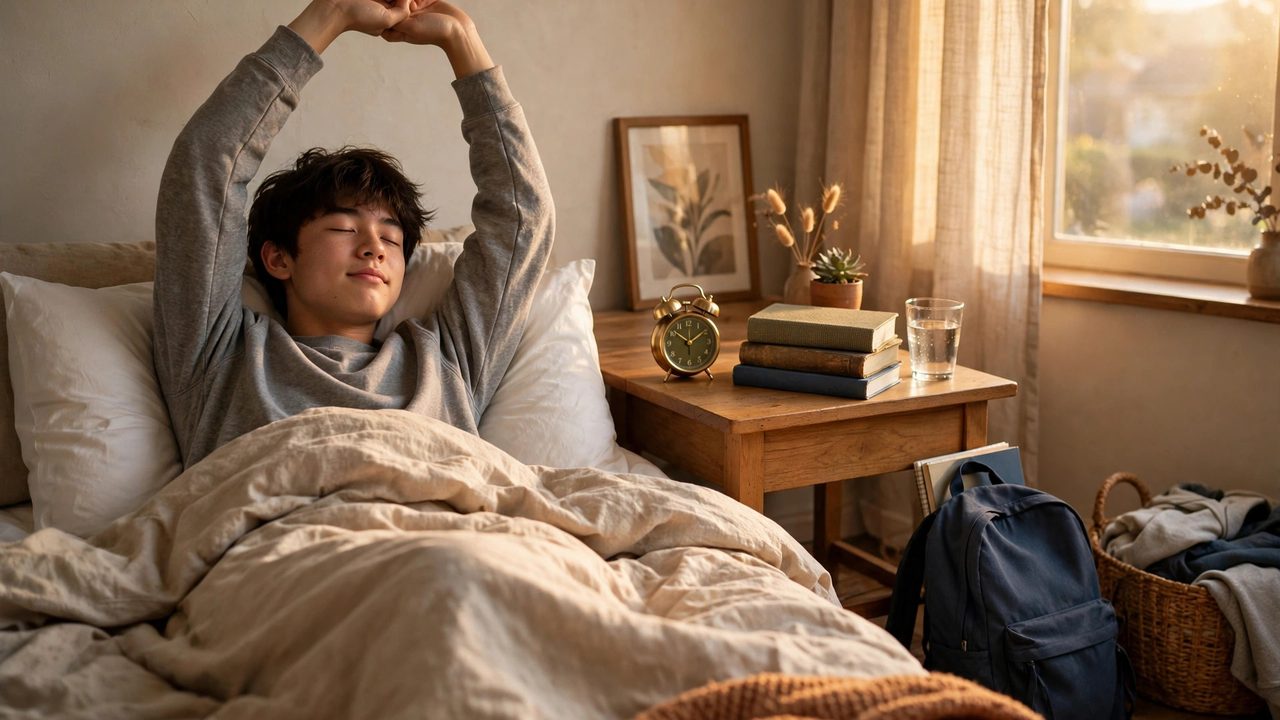
High school mornings start early, and they start in the dark for much of the school year. A phone alarm is easy to snooze, easy to silence from under a pillow, and it keeps the phone — with every notification that comes with it — right next to the bed all night. A dedicated clock solves all three problems at once: it sits across the room or on the nightstand with one job, it cannot be swiped away half-asleep as easily, and it lets the phone charge somewhere else. This guide to the best alarm clocks for high school students covers six clocks that take very different approaches to the same 6 a.m. problem, from a sunrise light that brightens the room before any sound plays, to a bed shaker built for teenagers who sleep through everything, to a simple battery-powered bell clock with no snooze button at all.
Every pick below is a real, current model, and every specification is phrased the way the maker lists it, so you can compare like with like. Some students need a gentler wake-up because a blaring buzzer leaves them groggy and irritable through first period. Others need the opposite: maximum volume, vibration, and an alarm that refuses to quit. Most need something in between, plus practical touches like a weekday-only alarm setting so Saturday morning is not ruined by a forgotten alarm, a display that dims or goes fully dark at night, and backup power so a brief outage does not silently cancel the school run. Read the quick verdict first, then the detailed sections, and match the clock to the sleeper rather than to the spec sheet.
Quick verdict
For most high school students, the Philips SmartSleep Wake-Up Light HF3520/60 is the strongest all-round choice: its coloured sunrise simulation brightens the room gradually before the alarm sound, which suits dark winter mornings and students who wake up groggy, and it needs no phone, no app and no Wi-Fi to do it. The Emerson SmartSet ER100301 is the practical school-week pick, because its dual alarms can be set to ring on weekdays only and the clock sets its own time automatically, including after a power cut. The Sonic Alert Sonic Bomb SBB500SS is the answer for the genuine heavy sleeper: the maker lists a 113 dB alarm, flashing alert lights and a vibrating bed shaker in one unit. The Hatch Restore 3 and the Loftie Clock are the two premium routine-builders, aimed at students who want the phone out of the bedroom entirely; the Hatch leans on light routines and an app, while the Loftie uses a two-phase alarm and a display that can go completely dark. Finally, the Peakeep Twin Bell MHP3122B is the simple, cordless option: a loud mechanical bell, a silent sweeping second hand, and no snooze button to abuse.
The products in this guide
Philips SmartSleep Wake-Up Light HF3520/60
The Philips HF3520/60 attacks the hardest part of a school morning — waking up in a pitch-dark room in winter — by changing the light before it makes
We started from the realities of a school schedule rather than from a feature list. A high school alarm clock has to fire reliably five mornings a week, often well before sunrise, and it has to keep doing so after power blips, daylight saving changes and the occasional unplugged cable. So every pick here either sets or keeps its time automatically, carries some form of battery backup, or runs on a battery outright. We also weighted alarm flexibility: weekday-only programming, dual alarms for a first wake-up call and a final get-up call, and snooze behaviour all matter more to a student than they do to most adults.
Second, we matched wake-up styles to sleeper types, because there is no single best way to wake a teenager. Light-based clocks suit students who surface slowly and hate being startled. Two-phase and gradually increasing alarms suit average sleepers. Vibration and very loud alarms suit deep sleepers and anyone who shares a room and needs a targeted wake-up. A no-snooze mechanical bell suits the student whose real problem is not hearing the alarm but negotiating with it. Each pick below is the strongest representative of its style that we could verify.
Third, we checked the nightstand details that decide whether a clock survives the school year: a display that dims or switches off so the room stays dark, a footprint that fits a crowded desk or nightstand, and controls a half-asleep person can work by touch. Finally, every product in this guide was verified against the maker’s own listed specifications and a live listing before inclusion; anything whose details could not be confirmed on an opened page was left out entirely rather than written up from guesswork.
The Philips HF3520/60 attacks the hardest part of a school morning — waking up in a pitch-dark room in winter — by changing the light before it makes any sound. The maker lists a coloured sunrise simulation in which the light gradually increases over an adjustable 20 to 40 minutes, shifting from soft red through orange to bright yellow, with 20 brightness settings reaching up to 300 lux. By the time the sound starts, the room is already lit, which makes getting up feel less like being dragged out of deep sleep. Students can choose from the five natural wake-up sounds the maker lists — Forest Birds, Buddha, Yoga, Ocean Waves and Nepal Bowls — or wake to the built-in FM radio instead.
The clock is deliberately free of connected features. There is no app, no Wi-Fi and no Bluetooth, so there is nothing to update, pair or troubleshoot on a school night, and nothing to scroll. A tap anywhere on the unit triggers the smart snooze for nine minutes, the maker lists two separate alarm times, and the sunset simulation dims the light gradually in the evening to signal bedtime — genuinely useful for a student whose homework tends to push bedtime later and later. The display adjusts its own brightness to the room and offers four display brightness levels, so it stays readable in the morning without glowing all night. Philips lists a time backup of four to eight hours, enough to ride out most overnight outages, and the unit measures 19.2 cm high with a 19.9 cm diameter, so check the nightstand space first: it is a lamp-sized object, not a compact travel clock.
Buy it if: your student wakes up groggy and disoriented in dark rooms, hates being startled awake, and would benefit from light doing the first half of the waking before any sound begins — and you want zero apps or accounts involved.
Skip it if: the sleeper is genuinely hard to wake and needs volume or vibration rather than light, or the nightstand is small, because this is the largest footprint in the guide and its gentle approach is the wrong tool for a very deep sleeper.
The Hatch Restore 3 is built around routines rather than a single alarm. The maker lists a sunrise alarm that brightens gradually before the wake time and a matching dimming routine for the evening, paired with a large library of sleep sounds, light scenes and guided content delivered through the Hatch Sleep app. For a high school student, the real value is the wind-down side: a consistent evening routine with a set light and sound sequence is a practical way to protect a school-night bedtime, and the morning sunrise then replaces the jolt of a phone buzzer. The clock face itself is a dimmable digital display designed to keep the room dark, and one large button on top starts the routine, adjusts volume and snoozes the alarm, so the phone does not need to be touched at the bedside.
Setup and customisation run through the app on iOS or Android, and the maker lists 2.4 GHz Wi-Fi and Bluetooth connectivity; the clock is corded and needs to stay plugged in. The unit comes in Putty, Greige and Cocoa finishes, and the listing verified for this guide is the Putty version. One honest caveat for families: part of the Hatch content library sits behind the optional Hatch+ subscription, which adds more sounds, routines and sunrise options after a trial period. The core sunrise alarm, the included sounds and the routine functions work without it, but a student who falls in love with the expanded library will eventually ask about the subscription, so decide that policy before the clock arrives, not after.
Buy it if: the goal is bigger than waking up — you want a student to build a repeatable evening wind-down and a gentler morning, keep the phone out of reach overnight, and you are comfortable with app setup and Wi-Fi in the bedroom.
Skip it if: you want a clock that works straight out of the box with no phone, no account and no subscription decisions, or the bedroom Wi-Fi signal is unreliable, because this clock leans on its connection more than any other pick here.
The Loftie Clock exists for one specific household negotiation: getting the phone out of a teenager’s bedroom without leaving them unable to wake up, fall asleep or listen to anything. Its signature feature is the two-phase alarm the maker lists — a first, gentle chime that begins to rouse the sleeper, followed after an interval by a louder, more persistent tone that finishes the job. That staged approach suits students who surface slowly but reliably, and it is far less brutal than a single maximum-volume blast. The maker lists more than 100 included sounds — nature sounds, white and brown noise, sound baths, meditations and breathwork — with no subscription required, plus a Bluetooth speaker mode for the times audio from a phone is actually wanted.
Night-time behaviour is where the Loftie earns its place for students. The display is dimmable, offers a red mode, and has a full blackout mode that turns the screen and light off entirely while alarms stay active, which is ideal for light-sensitive sleepers in shared rooms or small bedrooms. There is an adjustable nightlight, a Bed Signal bedtime reminder, and a sleep timer. The maker lists dimensions of 6.5 inches wide by 2.75 inches deep and high, a weight of 1.8 pounds, a polycarbonate shell with a steel top grill, and USB-C power with the cable and adapter in the box. Wi-Fi is needed only for setup and updates — the maker lists a No Wi-Fi mode after that — and a built-in backup battery keeps the clock running for five to seven hours unplugged, which covers most overnight outages.
Buy it if: the main battle is the phone at night, the student sleeps in a room that needs to be truly dark, and you want alarms, sleep sounds and a nightlight in one device with nothing paywalled behind a subscription.
Skip it if: the student is a very heavy sleeper who needs vibration or maximum volume, or you prefer light-based waking, because the maker is clear that the Loftie is not a sunrise clock — its nightlight can join the alarm, but there is no gradual dawn simulation.
The Emerson ER100301 is the school-week specialist of this group, and its standout feature is one most clocks skip: each of its dual alarms can be programmed to run on weekdays only, weekends only, or all seven days. Set alarm one for the school run, Monday to Friday, and it simply never fires on a Saturday — no Friday-night remembering, no holiday-morning rude awakening beyond the days you choose. The second alarm can serve as a backup get-up call ten minutes later, or as a separate weekend time. Students can wake to an FM station or to the buzzer, and the maker lists digital tuning FM radio with 20 station memories.
Emerson’s SmartSet system is the other half of the appeal. The maker lists automatic time setting: the clock sets itself to the correct year, month, date, day and time the first time it is plugged in and again after every power interruption, and it adjusts itself for daylight saving time and leap years. A button cell battery is included to maintain the time and alarm settings through an outage, so a two-second power blip at 3 a.m. cannot silently cancel a 6 a.m. alarm. Around that core, the ER100301 adds a Bluetooth speaker for streaming audio, a USB charging port on the back that the maker lists at 5V and 2.1A output — enough to charge a phone overnight at the nightstand — a soft blue night light, and a 1.4-inch cyan LED display with dimmer control. The maker lists dimensions of 9 inches long by 4 inches wide by 2.75 inches high and a weight of one pound, and the snooze runs nine minutes at a time for up to an hour.
Buy it if: you want the set-and-forget school clock — weekday-only alarms, self-setting time, automatic daylight saving changes — with a radio, a Bluetooth speaker and a phone-charging port folded into one nightstand unit.
Skip it if: the student is a deep sleeper who needs a genuinely loud or vibrating alarm, or you want light-based waking; the buzzer here is a conventional clock-radio buzzer, and there is no sunrise function.
Every family with a high school student knows one who can sleep through a phone alarm, a parent calling from the doorway, and possibly a fire drill. The Sonic Bomb is built for that student. The maker lists an extra-loud alarm of up to 113 dB with adjustable tone and volume, flashing red alert lights, and a powerful 12-volt bed shaker — a puck that slides under the mattress or pillow and physically shakes the bed. The three channels can run in vibration-only, sound-only or combined modes, so the same clock works for a solo room at full blast or, set to vibration alone, for waking one student without waking a sibling across the room.
The details show a clock designed by people who understand snooze abuse. The maker lists an alarm duration adjustable from 1 to 59 minutes, so the alarm does not politely give up after a minute and let the sleeper drift off, and a snooze adjustable from 1 to 30 minutes, which lets parents shorten the snooze leash instead of accepting the standard nine. Dual alarms cover a first call and a final call. The display has a five-level dimmer, the time can be shown in 12- or 24-hour format, and a 9V battery backup — the maker lists the battery as not included, so add one to the order — maintains the time and alarm settings through a power failure. Two honest trade-offs: the shaker puck is wired to the clock, which adds a cable to manage, and at full volume this clock is far too loud for thin walls or a shared room on sound mode, which is exactly why the vibration-only mode matters.
Buy it if: the student sleeps through ordinary alarms, shares a room and needs vibration-only waking, or needs an alarm that keeps going until it is answered — this is the heavy-sleeper benchmark in this guide.
Skip it if: the student wakes easily and just needs a nudge, because a 113 dB alarm with a bed shaker is serious overkill for a light sleeper and will not make mornings calmer for anyone else in the house.
The Peakeep Twin Bell is the deliberate opposite of the smart clocks above: a 4-inch analog clock in a metal frame, with two bells on top, a hammer between them, and nothing else to configure. When the alarm time arrives, the bells ring loudly and keep ringing until someone gets up and flips the switch on the back of the clock — because, as the maker points out, there is no snooze button. For the student whose problem is not hearing the alarm but negotiating five extra minutes out of it six times in a row, removing the snooze button entirely is the feature. The black version verified for this guide has a raised 3D dial that is easy to read at a glance.
The rest of the design is about not disturbing the night. The maker lists a silent sweeping second hand, so there is no ticking to keep a light sleeper awake, and a press-button backlight that lights the dial only while it is held — no permanent glow in a dark room. The clock runs on a single AA battery, which the maker lists as not included; one battery also means complete freedom of placement, immunity to power outages, and no cable across the nightstand, which suits dorm-style rooms, shared bedrooms and desks as much as nightstands. The maker lists dimensions of 4.5 inches wide by 6.5 inches high and a weight of 5.1 ounces. What you give up is precision and flexibility: there is one alarm, set with an analog dial rather than to the exact minute, no weekday mode, no radio and no backup alarm — so this works best as either a primary clock for a student with one fixed wake time or a deliberately unforgiving backup placed across the room from a gentler main alarm.
Buy it if: you want the simplest possible wake-up contract — a loud bell, no snooze, no screen, no cord, no app — for a student who needs to be forced out of bed rather than eased out of it.
Skip it if: the student needs different wake times on different days, a precise to-the-minute alarm, or a quiet start to the morning; a ringing twin bell in a shared room wakes everyone, every time.
Buying guide
Match the wake-up channel to the sleeper. This is the decision that matters most. Light sleepers and students who wake groggy do best with light: a sunrise simulation that brightens the room before the sound starts, like the Philips or the Hatch, works with the body’s wake-up process instead of ambushing it. Average sleepers do well with staged sound, such as the Loftie’s two-phase alarm. Heavy sleepers need a second physical channel — the Sonic Bomb’s bed shaker is the strongest option here — because a sound they can sleep through at one volume is usually a sound they can sleep through slightly louder. And students who hear the alarm fine but snooze it repeatedly need friction removed from the equation, which is what a no-snooze clock like the Peakeep provides.
Insist on school-week alarm logic. A clock that cannot distinguish Tuesday from Saturday will eventually ruin a weekend or get switched off and forgotten. Weekday-only programming, as on the Emerson, is the cleanest solution. Dual alarms are the next best thing: set the first as the intended wake-up and the second, ten or fifteen minutes later, as the non-negotiable one. If a clock has neither, expect to manage the alarm manually every Friday night and every Sunday night.
Protect the alarm from power and daylight saving changes. Look for battery backup that maintains the alarm settings, automatic time setting, and automatic daylight saving adjustment. The Emerson covers all three; the Loftie carries a built-in backup battery for several hours; the Sonic Bomb takes a standard 9V cell; the Philips holds its time for several hours; and the Peakeep sidesteps the question by running on a battery full-time. Whichever you choose, test it once: unplug it briefly after setting the alarm and confirm the alarm survives.
Keep the bedroom dark. A display that cannot dim will either light up the room all night or get turned face-down and become useless. Prefer a dimmer with several levels, a display that adjusts itself, or a full blackout mode. Analog clocks avoid the problem entirely, and an on-demand backlight, like the Peakeep’s, is the right compromise. Red or warm display modes are a bonus for light-sensitive sleepers.
Decide your position on phones and subscriptions before buying. Three of these clocks — the Philips, the Emerson and the Peakeep, plus the Sonic Bomb — ask for nothing: no app, no account, no Wi-Fi. The Hatch and the Loftie use an app for setup; the difference is that the Loftie’s content is included outright, while part of the Hatch library sits behind an optional subscription. Neither approach is wrong, but a household rule of “no phone in the bedroom” pairs most naturally with a clock that never needs the phone again after unboxing — or, in the Philips and Peakeep’s case, at all.
Place the clock for the behaviour you want. A clock across the room forces a student to stand up to silence it, which ends most snooze negotiations. Bed shakers go under the mattress at the head end or under the pillow. Sunrise clocks need an unobstructed spot on the nightstand where the light can actually reach the sleeper’s face. And whichever clock you pick, give it a two-week trial across real school mornings before judging it — wake-up habits adjust slowly, and the first three days are the worst.
FAQ
What type of alarm clock is best for a teenager who sleeps through alarms?
Choose a clock with a second wake-up channel beyond sound. In this guide that is the Sonic Alert Sonic Bomb SBB500SS: the maker lists a bed shaker that vibrates the mattress, flashing alert lights and an alarm of up to 113 dB, and the alarm can be set to run for up to 59 minutes so it does not stop before the sleeper responds. Placing any clock across the room, so it cannot be silenced from bed, also helps.
Are sunrise alarm clocks a good choice for school mornings?
Yes, particularly in autumn and winter when students wake well before dawn. A sunrise clock brightens the room gradually — the maker of the Philips HF3520/60 lists an adjustable 20 to 40 minute sunrise — so the sleeper surfaces through lighter sleep instead of being startled. Sunrise clocks suit light and average sleepers best; a genuinely heavy sleeper may still need the vibration of a bed shaker as well.
Why does a weekday-only alarm setting matter?
Because a school alarm that also fires on Saturday trains students to switch the alarm off entirely — and then forget to switch it back on for Monday. A clock with weekday, weekend or everyday modes for each alarm, like the Emerson ER100301, fires on school mornings only and never has to be touched at the weekend. Dual alarms are the fallback: one for school days, managed carefully, and one as a backup.
Should a high school student use a phone as an alarm clock instead?
A dedicated clock removes the two biggest problems with a phone alarm: the phone stays in the bedroom all night, with its notifications and scrolling, and a phone alarm is too easy to snooze or silence half-asleep. A standalone clock — especially a no-app model like the Philips, Emerson or Peakeep in this guide — does one job, keeps the phone charging elsewhere, and keeps working through app updates and dead phone batteries.
What happens to these alarms if the power goes out overnight?
It depends on the model, which is why backup matters. The maker lists a time backup of four to eight hours for the Philips, a built-in backup battery of five to seven hours for the Loftie, an included button cell that maintains settings on the Emerson, and a 9V battery backup (battery not included) on the Sonic Bomb. The Peakeep runs on a single AA battery, so a mains outage does not affect it at all.
Is a loud analog bell clock too harsh for a teenager’s bedroom?
It is harsh by design, and for the right student that is the point: the Peakeep Twin Bell has no snooze button, so the ringing only stops when the student gets up and switches it off at the back of the clock. It is a poor choice for shared rooms, where it wakes everyone, and unnecessary for light sleepers — but as a simple, cordless, screen-free alarm for a heavy snoozer, it is effective precisely because it cannot be negotiated with.
Conclusion
The right alarm clock for a high school student is the one matched to how that student actually sleeps. Pick the Philips SmartSleep Wake-Up Light HF3520/60 for gentle, light-led waking on dark mornings with no apps involved. Pick the Hatch Restore 3 or the Loftie Clock to build a full evening and morning routine and move the phone out of the bedroom — the Hatch for light routines and its app library, the Loftie for its two-phase alarm, blackout display and subscription-free sounds. Pick the Emerson SmartSet ER100301 for the most practical school-week setup, with weekday-only alarms and a clock that sets its own time. Pick the Sonic Alert Sonic Bomb SBB500SS when nothing else has worked and the sleeper needs sound, light and vibration together. And pick the Peakeep Twin Bell MHP3122B when the simplest contract — a loud bell and no snooze button — is what the morning needs. Any of the six beats a phone alarm; the best one is the one still being used in March.
M
Modern Line Home Editorial Team
We compare specs, materials and verified owner reviews before a product earns a spot. Rankings are never paid.
Affiliate disclosure. As an Amazon Associate we earn from qualifying purchases at no extra cost to you. Prices accurate as of the date shown.
House cold even with the heat on? Walk this ordered checklist: thermostat and filter first, then drafts, insulation, leaky ducts and a failing heating system.
Windows fogging up in winter? Check where the fog sits: on the room side it is indoor humidity, outside it is harmless, and between panes the seal has failed.
Store the main firewood pile about 30 feet from your house, off the ground and covered only on top. Compare racks, woodsheds, garages and indoor spots safely.
Place a portable generator outdoors only, at least 20 feet from windows, doors and vents, exhaust pointed away. Exact distances, setup steps and CO rules here.
Keep houseplants in the right winter spot: match window direction to plant type, stay clear of radiators and cold glass, and fix dry air and low light at home.
Mice enter through pencil-width gaps at foundations, pipes, vents, doors and the roofline. Walk this room-by-room winter checklist to find and seal each one.
A winter outage timeline: what to do in the first hour, first night and multi-day outage, with food safety times, pipe protection, heat and CO safety steps.
Size a space heater by room area: 10 watts per square foot at 8-foot ceilings, adjusted for insulation and ceiling height, with full wattage and BTU tables.
Start dripping at about 20 degrees, sooner for exposed pipes. Set a pencil-lead stream, drip the right faucets on both lines, and know when to stop safely.
A fridge needs 800-1,200 starting watts, not just 150-400 running watts. Use the tables to total your fridge plus freezer, lights, furnace fan and more today.












Write Your Review
No reviews yet. Be the first to share your experience!